How to read an Okeyhaul Spreadsheet listing
An Okeyhaul Spreadsheet is a browsable storefront: category shelves of individual listings, each one a real product page with a real photograph and a real price. You browse it the way you would browse any shop window, by the kind of object you want. It is not a document you download and it is not something you keep a copy of.
What it gives you that a search box does not is the vocabulary. Most people arrive knowing what an item looks like and not what sellers call it. Browsing a shelf teaches you the words, and the words are what you need before any search is worth running.
What it cannot give you is a guarantee. A listing is a seller's own photograph and a seller's own price, captured at one moment. Both can be stale, which is why this page is about judging an entry rather than trusting one.
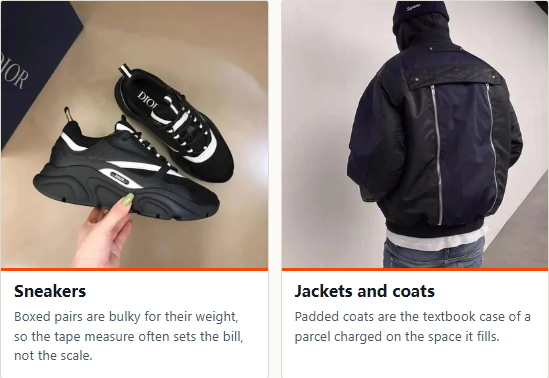
Sixteen shelves
The sixteen shelves, and how each behaves as a parcel
These are the sixteen categories worth having a shelf for. The note under each one is not a description of the clothes: it is what that category does to your bill and your timeline, which is the part a storefront never tells you.
 SneakersBoxed pairs are bulky for their weight, so the tape measure often sets the bill, not the scale.
 Jackets and coatsPadded coats are the textbook case of a parcel charged on the space it fills.
 HoodiesHeavy enough to register on the scale, soft enough to compress. Usually billed on actual weight.
 T-shirtsFlat and light, which makes it the cheapest thing to add to a parcel you are already sending.
 JeansDense and heavy. Here the scale wins and the tape measure is irrelevant.
 SweatpantsSizing is the usual complaint, and size is judged against your last order comment, not your intention.
 WomenswearNo standing category of its own, so this entry runs as a search rather than a fixed shelf.
 Football shirtsNames and numbers are printed to order, which pushes the seller past the usual dispatch window.
 BagsRigid and boxy. Measure it before you guess at what the freight will come to.
 Caps and hatsCrushable but awkward, so they earn their place filling the gaps around everything else.
 BeltsSmall, heavy for their size, and easy to add late without changing the shipping band.
 GlassesThe case takes up far more room than the glasses do, and the case is what gets measured.
 FragranceSealed boxes are not opened at the check, so what arrives is whatever the seller sent.
 JewelleryTiny and light, which makes this the cheapest category to bolt onto an order.
 WatchesNot a garment, a bag or a shoe, so the check looks at the outside and stops there.
 ElectronicsChecked for accessories and physical damage, never for whether the thing works.
Womenswear has no standing shelf of its own anywhere in this market, so that entry runs as a search rather than a fixed category.
Judging it
What makes a good spreadsheet, and what makes a thin one
A good storefront is one whose entries an agent can actually act on. That is a harder test than it sounds, and it rules out most of what gets shared around. Three questions settle it.
Does the link point at a platform the agent buys from? Okeyhaul lists Taobao, TMALL, 1688. An entry pointing anywhere else is not a bad listing, it is a listing this agent cannot process, and you will find that out after you have chosen it.
Is there a photograph of the object itself? Not a logo, not a promotional banner, not a rendering. An entry whose picture is a graphic is an entry nobody has looked at.
Is the price attached to the link, rather than near it? Prices drift and sellers relist. A number floating beside a link is decoration.
When a link genuinely cannot be processed automatically, Okeyhaul publishes a manual route: you fill in the link, the product name and the price yourself at its custom order form. That route exists precisely because not every entry is machine readable.
Source: Okeyhaul help article 226, read 2026-10-07. The supported platform list and the manual fallback are both set out there. The same page says other large platforms are being connected later, which is a roadmap and not a capability.
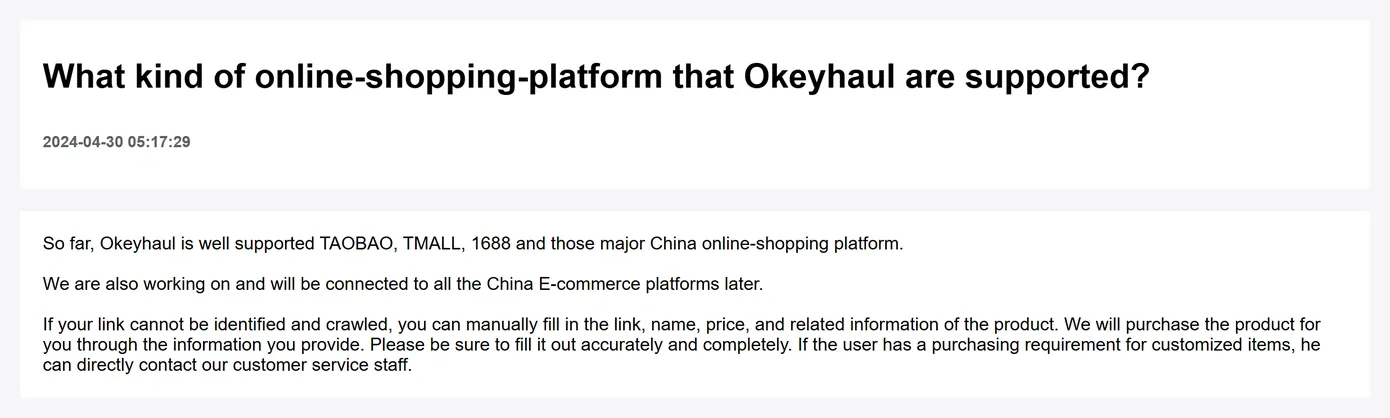
Where a link can point, and what happens when it cannot
Two routes into an order, with different amounts of work for you.
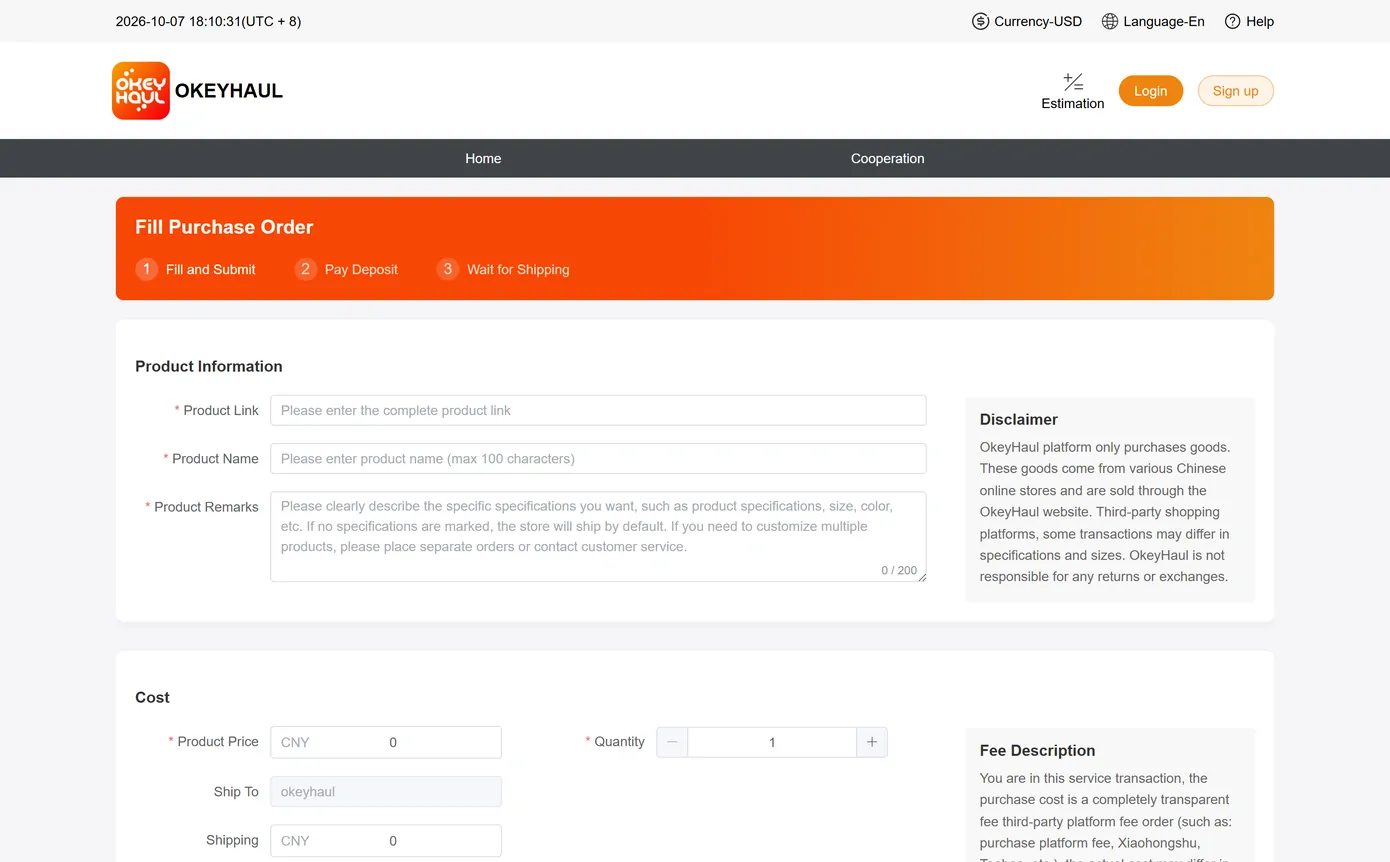
| Route | What you supply | What to watch |
|---|---|---|
| A supported platform link | The link only | The listing is read for you. Check that the variant you want is the one selected, because the variant travels with the link. |
| The custom order form | Link, product name and price, typed by hand | You are now the source of the price. A typo here becomes a shortfall later, and the shortfall is yours to settle. |
| Either route, with a request attached | A note in the order remark | The remark field is capped at 200 characters, so put the decisive instruction first rather than the polite opening. |
The four things on this site you can actually operate
Most of this site is reading. Four parts of it are not, and they are the ones worth knowing about before you spend an evening scrolling.
The search box at the top of the front page. It searches the finds catalogue these shelves are drawn from, and it does it without an account. That matters more than it sounds: Okeyhaul's own search box does not. We typed hoodie into it on 2026-10-07 and pressed Enter, and landed on a login page with a password field. So the ordinary first move, type a word and see what exists, is closed to you on the agent's own site until you register. Here it is open.
The sixteen shelves above. Use them when you do not yet know the word. Browsing teaches you what sellers call a thing, and the word is what every later search depends on.
The waiting-time tool on the pre-dispatch page. Pick the kind of listing, the seller's region and your destination, and it works out how long passes before the warehouse has your parcel at all. It is the part of the timeline nobody quotes you, because none of it is the agent's to control.
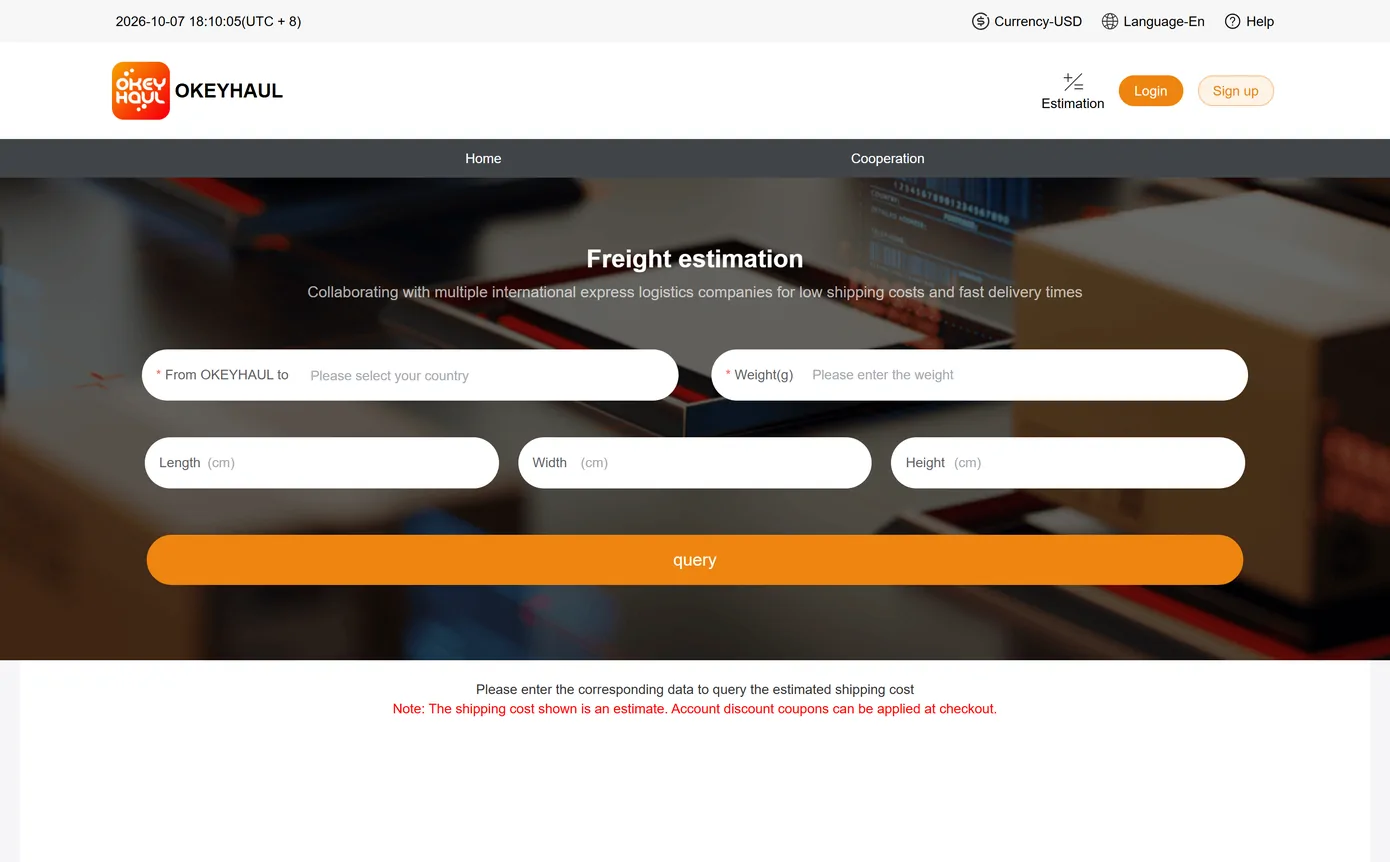
The agent's own shipping estimator. Okeyhaul publishes one at its estimate page, and it is the only place a real figure for your weight and destination comes from. Ours tells you when the parcel exists; theirs tells you what moving it costs. Run both before you commit, not after.
One thing none of them do: search by image. If what you have is a photograph rather than a word, you are back to describing the object, and the shelves above are the fastest way to find the words for it.
Questions about browsing
Do I need an account to browse?
Not to browse these shelves. The agent's own search field is a different matter: we typed one word into it and were sent to a sign-in page carrying a password field, so expect to register before searching there.
The listing photo looks too good. Is it the real item?
Treat every listing photograph as the seller's marketing. The only pictures taken of your actual item are the ones from the warehouse check, and those arrive after the money has moved. Reading those photos is a skill worth having before you need it.
Can I combine items from several shelves into one parcel?
Yes, and there is a direct reason to. Domestic delivery inside China is charged on the way in, so items bought separately and shipped to the warehouse separately each carry their own domestic leg. The pitfalls page has the published wording.
A link I was given is dead. Now what?
Then the seller has relisted or withdrawn it, which is routine. Sellers also do not keep their stock figures current, so a live link is not proof of stock either.